Minecraft for Parents: The Complete Field Guide
Everything parents need to know about setting up Minecraft safely, choosing the right version, and understanding why kids are obsessed with punching digital trees.
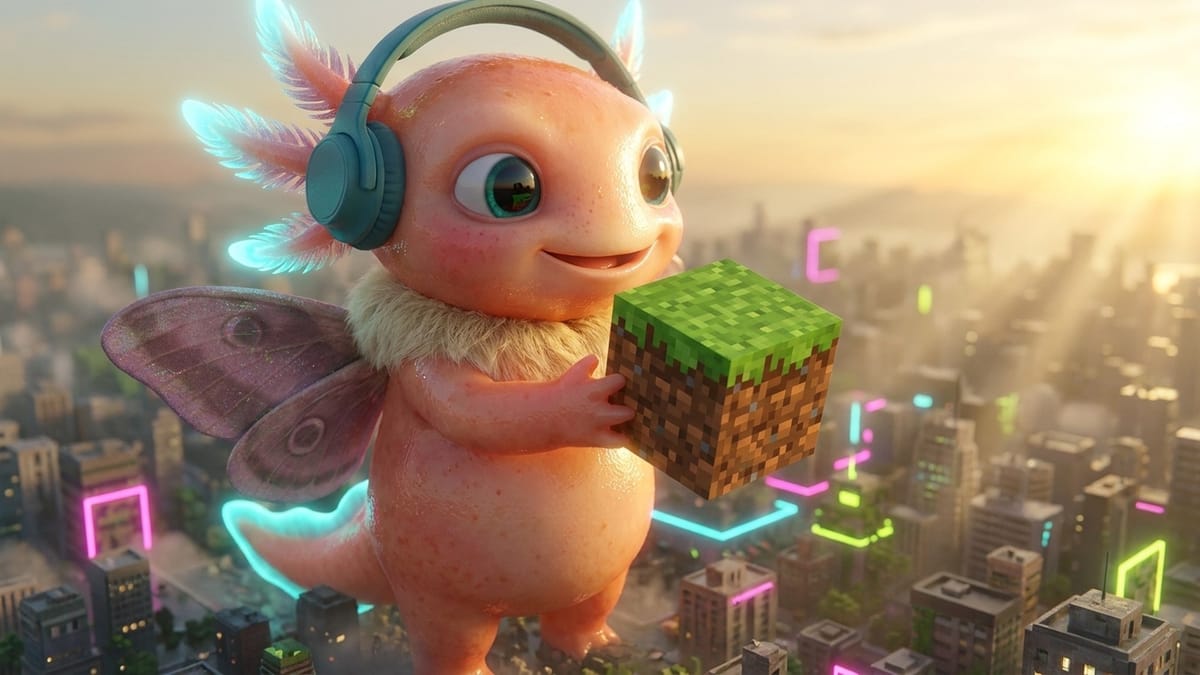
If you are trying to figure out what this blocky game is and whether it is okay for your kid to play, the short answer is yes, as long as you set up a few basic guardrails. At its core, the game is an open-ended, 3D sandbox where players build, explore, and survive in worlds made entirely of blocks1.
There is no instruction manual, no linear story, and no ultimate boss you have to defeat to "win." For adults who grew up playing games with clear levels and high scores, watching a kid punch a digital tree to gather digital wood can feel completely baffling. But if you think of it as an infinite bucket of digital bricks, the obsession starts to make sense. If your family has outgrown the games we cover in our Roblox for Parents: The Complete iPad Field Guide, this is usually the next major stop. It is a game of pure imagination, not unlike the physical toys we discuss in our LEGO Minifigures for Parents: Collecting, Explained guide.
This guide is designed to cut through the jargon. We are going to look at how the game works, the confusing mess of Microsoft accounts, how to keep multiplayer safe, and why this specific digital world is such a powerful tool for neurodivergent kids.
What Exactly Is This Game?
When a player starts a new game, they are dropped into a randomly generated world that is practically infinite. The environment is composed of different biomes, including deserts, snowy mountains, dense forests, and deep oceans. Everything in this world is made of cubes. Players break these blocks to collect resources, and then they combine those resources on a crafting table to make tools, shelter, and more complex materials.
The game features two primary modes: Creative, which offers unlimited resources and no danger, and Survival, where players must gather resources, manage their character's hunger, and fight monsters2. These modes offer completely different experiences.
Creative Mode: Digital Architecture
In Creative mode, kids have access to every block in the game through an infinite inventory menu. They can fly around the map and instantly break blocks with a single click. There are no health bars, no hunger mechanics, and no monsters trying to ruin their day. This mode is purely about building. Kids can spend hours looking up Minecraft House Ideas to Build With Your Kid and constructing massive castles, modern mansions, or pixel art. It is a deeply relaxing, low-stakes way to play.
Survival Mode: High Stakes and Resource Management
Survival mode is where the actual "game" happens. Players start with empty pockets. They have to harvest wood, mine stone, and eventually dig deep underground to find iron and diamonds. The day and night cycle lasts exactly twenty minutes. When the sun goes down, it gets incredibly dark, and things get dangerous. If a character loses all their health, they "die" and drop every single item they were carrying on the ground. They respawn back at their bed, but they have to race back to where they died to pick up their stuff before it disappears.
For younger kids, losing a full set of enchanted diamond gear to a pit of lava is a massive emotional event. Expect some tears. If your kid gets easily frustrated by losing progress, stick to Creative mode for a while. We break down the pros and cons of each playstyle in Creative vs Survival Mode: Picking the Right Minecraft for Your Kid.
Kids also love sharing the specific worlds they generate. The game uses text strings to create landscapes, a mechanic we explain fully in Minecraft Seeds Explained: Why Kids Trade Number Codes.
Age Ratings and the Reality of Online Play
The Entertainment Software Rating Board (ESRB) rates the game E10+ (Everyone 10 and up) due to mild fantasy violence against monsters3. In Europe, the Pan European Game Information (PEGI) board gives it a PEGI 7 rating for mild, non-realistic violence4. If your kid plays on a tablet or smartphone, you will see these age ratings and content descriptors displayed directly beneath the game title in the App Store or Google Play Store4.
Punching a blocky skeleton with a pixelated wooden sword is incredibly mild. There is no blood or gore. However, safety experts heavily warn parents that static ratings like E10+ or PEGI 7 only apply to the base game and do not account for unrated online chat or user-generated content in multiplayer modes3.
This is the most important distinction a parent can make. The base game is perfectly fine for early elementary students. But reading unfiltered text chat on a public server with thousands of anonymous teenagers is a completely different story. You have to separate the game from the internet. For a much deeper look at maturity levels and readiness, read Is Minecraft OK for a 6-Year-Old?.
Bedrock or Java? Figuring Out Which Version to Buy
Before you buy anything, you need to know there are two completely different versions of the game on the market, and they do not communicate with each other. Buying the wrong one usually results in a very disappointed kid who cannot join their best friend's world.
"Bedrock Edition" is the modern, universal version. It runs on mobile tablets, gaming consoles, and Windows computers, and it fully supports cross-platform multiplayer5. If your kid wants to play on a tablet while their cousin plays on a video game console in another state, they both need Bedrock Edition. This version also features an in-game store. We explain how the digital currency works in The Minecraft Marketplace: Minecoins, Skins and Spending.
"Java Edition" is the older, original version of the game. It runs exclusively on PC, Mac, and Linux computers, and its saved worlds are completely incompatible with Bedrock Edition5. Java is heavily favored by older, tech-savvy players because it allows them to download free custom modifications from the internet to change how the game looks and plays.
If you are confused about which version fits your hardware, read Minecraft Bedrock vs Java: Which One Does Your Kid Need?. If your household runs primarily on Apple tablets, you will want to start with Minecraft on iPad: Setup, Editions and What to Buy. Getting a Switch 2? Minecraft on Nintendo Switch 2: Do You Have to Buy It Again? covers the free upgrade and who has to pay. Both versions allow kids to customize their characters, which you can learn about in Minecraft Skins: What They Are and How to Change Them.
Parental Controls: The Microsoft Account Maze
Setting up the accounts is honestly the most frustrating part of this entire process. The parental controls are not located inside the game's own menus; they are managed externally via Microsoft Family Safety accounts online6.
Because of international data privacy laws like the Children's Online Privacy Protection Act (COPPA), a parent's Microsoft account must approve the creation of a child's account7. You cannot just hand a tablet to a seven-year-old and expect them to set it up. Once you get the parent and child accounts linked into a "Family," the Microsoft Family Safety dashboard dictates everything important. It controls multiplayer access, joining private realms, chat filtering, and approving real-money purchases8.
If your kid plays on a gaming console, you have an extra layer of homework. Parents must set up console-level controls in addition to the Microsoft Family Safety settings, and the system will always enforce whichever setting is the most restrictive6. It is a headache to figure out on a Tuesday night when your kid is begging to play, so do it ahead of time. We walk through every single click in Minecraft Parental Controls: A Step-by-Step Parent Guide.
Sensory & ND Notes: Playing to Their Strengths
For a massive community of neurodivergent players, this digital world is an absolute haven. If your kid also loves prehistoric creatures, check out our roundup of The Best Dinosaur Games for Kids: A Parent's Field Guide.
The open-ended nature of this game means kids can play exactly how their brain wants to play. For many autistic kids, the joy is not found in fighting dragons. The joy is found in sorting items into meticulously categorized chests, building perfectly symmetrical structures, or repeating the comforting, rhythmic loop of mining for coal. We treat these special interests and playstyles as massive strengths.
The cooperative nature of the game makes it highly effective for engaging autistic children, allowing them to practice social norms and teamwork in a relaxed, low-pressure environment9. In fact, a 2026 study exploring structured interventions using the game found non-significant social skills improvements in autistic pre-teens10. Research also links the game's spatial exploration and complex building mechanics to measurable improvements in hippocampal-dependent memory11. It is quite literally a workout for spatial reasoning. Read more about this specific connection in Why Minecraft Clicks for So Many Autistic Kids.
Sensory Triggers and Transitions
From a sensory perspective, Survival mode contains hostile creatures—like Zombies, Skeletons, and exploding Creepers—that can easily startle children12. We break down exactly what these creatures do in Minecraft Mobs for Parents: Creepers, the Warden and Friends. The game also features dark cave areas with eerie ambient noises that younger players frequently find terrifying.
The great news is that parents can completely remove these scary sensory elements by playing in Creative Mode or simply setting the Survival mode difficulty to "Peaceful," which stops monsters from spawning entirely13. You can also turn down specific audio triggers, like the sound of rain, directly in the settings menu.
Transitions away from the screen can be tough when a kid is deeply focused on a build. Because you cannot "pause" a multiplayer server, rely on visual timers. Give a ten-minute warning, and ask them to move their character to a safe spot, like a house or a bed, so they have a clear, predictable routine for logging off.
Multiplayer, Servers, and Monthly Costs
Eventually, your kid will want to play with friends. They can join massive public servers (which require strict chat filtering on your end), or you can set up a private, invite-only world.
If you rent a standard third-party server for two to five players, it currently costs about $2 to $4 per month for 2 GB of RAM14. Alternatively, Microsoft offers an official private server subscription called Realms Plus, which costs about $8 per month and supports up to 10 friends15. Realms Plus is usually the easiest route for parents who just want a safe, always-online world for a few classmates without messing with IP addresses. Read more about this option in Minecraft Realms Explained: A Private World for Friends.
Server experts heavily warn parents against using "free" server hosts. These free services now aggressively employ long login queues, forced video ads, and sudden world deletion for inactive servers16. It is absolutely worth a few dollars a month to avoid the tears of a deleted world. For a breakdown of safe public options, see Minecraft Servers: Which Ones Are Safe for Kids?.
The Sneaky Educational Benefits
If you are worried about the sheer volume of screen time, you should know that schools are actively using this game to teach. A 2026 study exploring prospective teachers' perceptions found they favored the game for teaching computer science, though many were still unsure of its direct impact on understanding mathematical concepts17.
Universities are getting in on the action, too. Outreach programs use the game to successfully teach environmental science and spatial concepts to children facing educational barriers18. Recently, researchers released an escape-room-style map designed specifically to teach kids media literacy and how to identify online disinformation19.
Inside the normal base game, players can use a material called "redstone" to build actual working electrical circuits, logic gates, and automated machines. It is basic engineering disguised as play. We cover this mechanic in Redstone for Kids: Minecraft's Secret Engineering Class. There is even a chemistry element to the game, which we explain in Minecraft Potions, Explained for Parents. If you want to learn about the specific version of the game used in schools, read Minecraft Education: What It Is and How Kids Use It.
The Quick Parent Checklist
Ready to set things up? Here is a practical checklist to get your kid playing safely without pulling your hair out:
- Verify the hardware: Check if your kid is playing on a tablet, computer, or console, and buy the correct edition (Bedrock for tablets and consoles, Java for Mac/PC).
- Create the parent account first: Set up your own Microsoft account before you try to create a child account.
- Link the Family Safety profile: Add the child account to your Microsoft Family Safety dashboard to comply with privacy laws.
- Lock down the settings: Restrict multiplayer access, disable public chat, and require purchase approvals for the in-game store.
- Start in Creative or Peaceful: Launch a local, single-player world in Creative mode or Peaceful Survival mode so they can learn the controls without being chased by zombies.
- Establish a transition routine: Agree on a specific visual timer before the game turns on, and practice having them "park" their character in a safe spot before logging off.
Frequently Asked Questions
Do I need to buy the game multiple times?
Yes. If your kid wants to play on a tablet, a video game console, and a computer, you have to buy a separate license for each platform, even though they will log in with the exact same Microsoft account.
Are there other games in this franchise?
Yes. Microsoft has released several spin-off titles that use the same blocky art style but feature completely different gameplay. The most popular one is an action-adventure game that removes the building aspect entirely. We review it in Minecraft Dungeons: A Gentler Start for Younger Gamers?.
What about the movie?
With Hollywood getting heavily involved, the franchise is expanding into theaters. We break down everything you need to know about the live-action adaptation in A Minecraft Movie: The Parent's Guide.
How can I support this interest offline?
Because the game is essentially digital building blocks, it translates perfectly to physical toys, books, and board games. If you want to encourage offline play, check out our list of Minecraft Gifts That Aren't Just More Screen Time.
Sources
- What is Minecraft. minecraft.net
- Is Minecraft Safe for Kids? A Parents Guide & Age Rating. justalk.com
- Understanding Game Ratings: ESRB and PEGI. screenwiseapp.com
- PEGI Ratings for Mobile Games: Protecting Children from Harmful Content. parental-control.net
- Minecraft: Java & Bedrock Edition for PC Standard Edition. minecraft.net
- Minecraft Parental Controls: 5 Methods Explained. jelliesapp.com
- What Minecraft Parental Controls Cover for a Child Account. minecrafthub.io
- A Guide to Setting Up Minecraft Parental Controls. security.org
- How Minecraft is Making Science More Appealing to Students with Autism. teachingtimes.com
- Enhancing social collaboration in autistic pre-teens through Minecraft. tandfonline.com
- Improving Hippocampal Memory Through the Experience of a Rich Minecraft Environment. frontiersin.org
- Parents Guide to Minecraft. minecraft.net
- Minecraft for Parents: A Common-Sense Guide. screenado.com
- Minecraft Server Hosting Cost. fadehost.com
- Minecraft Server Cost. alpenglowhosting.com
- Minecraft Server Cost: What You Really Pay Per Month. mc-node.net
- Prospective Teacher Perceptions of Minecraft as a Pedagogical Tool. ed.gov
- Science Hunters - Lancaster University. lancaster.ac.uk
- New Minecraft Disinformation Game Teaches Kids Critical Thinking. seattleschild.com